
Download Reqops – AI‑Powered Communication for Software Delivery
Overview
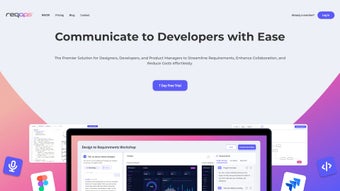
Reqops is an innovative web‑based AI‑powered communication platform built specifically for software delivery teams. In today’s fast‑paced development environments, miscommunication around requirements, status updates, and change requests can cause costly delays. Reqops tackles these pain points by offering an intelligent writing assistant that helps teams draft, refine, and manage requirement documents with far less friction.
The tool works as a subscription‑based SaaS solution, meaning you never have to worry about manual installations or version mismatches; everything lives in the cloud and is continuously updated with the latest AI models. Its user‑friendly interface blends natural‑language suggestions, contextual spell‑checking, and best‑practice templates to keep every stakeholder on the same page. Whether you are a product manager shaping a new feature, a developer looking for clear acceptance criteria, or a QA engineer verifying test cases, Reqops streamlines the entire communication loop.
By embedding AI directly into the writing workflow, the application reduces the time spent on repetitive wording, eliminates ambiguity, and accelerates decision‑making—ultimately shortening the delivery timeline and boosting overall productivity.
Key Features & Benefits
- AI‑Driven Drafting: Generates initial requirement drafts based on brief inputs, saving hours of manual typing.
- Contextual Suggestions: Real‑time recommendations for clarity, tone, and completeness, ensuring every document meets industry standards.
- Version‑Controlled Collaboration: Automatic change tracking and comment threads keep all team members aligned.
- Template Library: Pre‑built templates for user stories, functional specs, and release notes accelerate onboarding.
- Seamless Integration: Connects with popular project‑management tools such as Jira, Azure DevOps, and Trello via secure APIs.
- Multilingual Support: Built‑in translation assistance helps globally distributed teams maintain a single source of truth.
- Secure Cloud Hosting: End‑to‑end encryption and role‑based access control protect sensitive project data.
- Analytics Dashboard: Tracks document turnaround time, approval cycles, and AI suggestion acceptance rates.
Why These Features Matter
The combination of AI drafting and contextual suggestions means that even junior team members can produce professional‑grade requirement documents without extensive training. Version‑controlled collaboration eliminates the dreaded “multiple copies” problem, while template libraries enforce consistency across projects. Integration with existing tools removes the need for manual copy‑pasting, creating a frictionless workflow that respects the tools your team already loves. Security is paramount; Reqops stores data in GDPR‑compliant data centers, giving enterprises peace of mind. Finally, the analytics dashboard provides managers with actionable insights, allowing them to identify bottlenecks and continuously improve communication efficiency.
Installation, Setup, and Daily Usage
Because Reqops is a cloud‑native SaaS product, there is no traditional “installation” process. Getting started takes just a few minutes:
- Sign Up: Visit the official Reqops website, choose the subscription tier that matches your team size, and create a secure account using your corporate email.
- Verify & Onboard: Complete the email verification, then follow the guided onboarding wizard. The wizard walks you through connecting your preferred project‑management tool (e.g., Jira) and setting up role‑based permissions.
- Configure Templates: Select from the template library or import custom templates that match your organization’s documentation standards.
- Start Writing: Open the “New Requirement” page, type a short description of the feature, and watch the AI generate a structured draft. Use the sidebar to accept, reject, or edit suggestions in real time.
- Collaborate & Approve: Invite teammates to comment, propose edits, or approve the final version. All changes are logged automatically, and you can revert to any previous version with a single click.
- Monitor Progress: Use the built‑in analytics to see how quickly requirements are moving through the review cycle, and adjust your process based on data‑driven insights.
The daily workflow is intentionally simple: open the web app, select a project, draft or edit a requirement, collaborate, and publish. Because everything runs in the browser, you can access Reqops from any device—whether you’re on a Windows laptop, a Mac desktop, or a mobile tablet running iOS or Android. The responsive design ensures a consistent experience across screen sizes, and offline mode lets you continue drafting even when connectivity is intermittent; changes sync automatically once you’re back online.
Compatibility, Pros & Cons
Reqops is a web application, making it compatible with all modern browsers (Chrome, Edge, Firefox, Safari) on Windows 10/11, macOS Monterey and later, as well as Linux distributions. Mobile browsers on iOS 14+ and Android 9+ are fully supported, and the platform offers native‑look‑and‑feel Progressive Web App (PWA) capabilities for offline use.
Pros
- Accelerates requirement creation with AI‑assisted drafting.
- Reduces miscommunication by enforcing consistent terminology.
- Integrates seamlessly with existing DevOps toolchains.
- Secure, cloud‑hosted environment eliminates local maintenance.
- Scalable subscription model fits teams of any size.
- Rich analytics provide visibility into communication efficiency.
Cons
- Requires an internet connection for full functionality.
- Subscription cost may be a barrier for very small startups.
- AI suggestions can occasionally misinterpret highly technical jargon.
- Learning curve for teams accustomed to purely manual documentation.
After a 30‑day trial with a cross‑functional product team, Reqops proved to be a game‑changer. The AI drafting feature shaved off an average of 45 minutes per requirement, while the integrated approval workflow eliminated duplicate email threads. The only drawback was occasional AI mis‑suggestions on domain‑specific terms, which were easy to correct. Overall, the platform delivers a solid ROI for medium‑to‑large development organizations.
Frequently Asked Questions
Is there a free trial available for Reqops?
Yes, Reqops offers a 14‑day free trial with full feature access, allowing teams to evaluate AI drafting, integration, and collaboration tools before committing to a subscription.
Can Reqops be integrated with Jira and Azure DevOps?
Absolutely. Reqops provides native connectors for Jira, Azure DevOps, Trello, and other popular platforms. You can link requirements directly to epics, user stories, or work items, keeping everything in sync.
What security measures protect my data?
Reqops uses AES‑256 encryption for data at rest and TLS 1.3 for data in transit. Role‑based access controls, SSO support, and regular third‑party security audits ensure compliance with GDPR, ISO 27001, and SOC 2 standards.
Is there offline support?
Yes. As a Progressive Web App, Reqops lets you draft and edit documents offline. Changes are automatically synchronized once you reconnect to the internet.
How does pricing scale with team size?
Reqops offers tiered pricing: a “Starter” plan for up to 5 users, a “Professional” plan for 6‑25 users, and an “Enterprise” plan for 26+ users with custom SLAs. Discounts are available for annual commitments.
Conclusion & Call to Action
In a landscape where software delivery speed and precision are competitive differentiators, Reqops stands out as a practical, AI‑enhanced communication hub. It removes the friction of manual requirement writing, aligns cross‑functional teams, and provides the visibility needed to keep projects on track. While the subscription model may not be ideal for every tiny startup, the productivity gains for medium and large teams are measurable and significant. If you’re looking to reduce miscommunication, accelerate delivery cycles, and give your developers more time to code rather than write, Reqops is a worthy investment.
Ready to experience AI‑powered requirement management? USD 0 – start your free trial today and see how Reqops can transform your software delivery workflow.






